
As web applications grow, maintaining visual consistency and interface quality becomes a challenge. Duplicate components, style variations, and layout inconsistencies start appearing quickly. A design system solves this problem by establishing reusable interface standards. In this article, I show how to build a modern design system using Shadcn UI, Tailwind CSS, and React.
What is a Design System
A design system is a set of reusable components, design tokens, and interface patterns that ensures consistency across the application. It works as a centralized UI library, allowing teams to build interfaces faster and with fewer inconsistencies.
- 🎨 Design Tokens: standardized colors, spacing, and typography.
- 🧱 Reusable components: buttons, cards, inputs, and modals.
- 📐 Layout patterns: grids, spacing, and visual hierarchy.
Why use Shadcn UI
Shadcn UI has become one of the most popular solutions for building modern interfaces in React. Unlike traditional libraries, it is not just a ready-made component package - it generates components directly in your project, allowing full control over styles and behavior.
- Components based on Radix UI, ensuring accessibility.
- Native integration with Tailwind CSS.
- Full code ownership - components live inside your project.
- High customization flexibility.
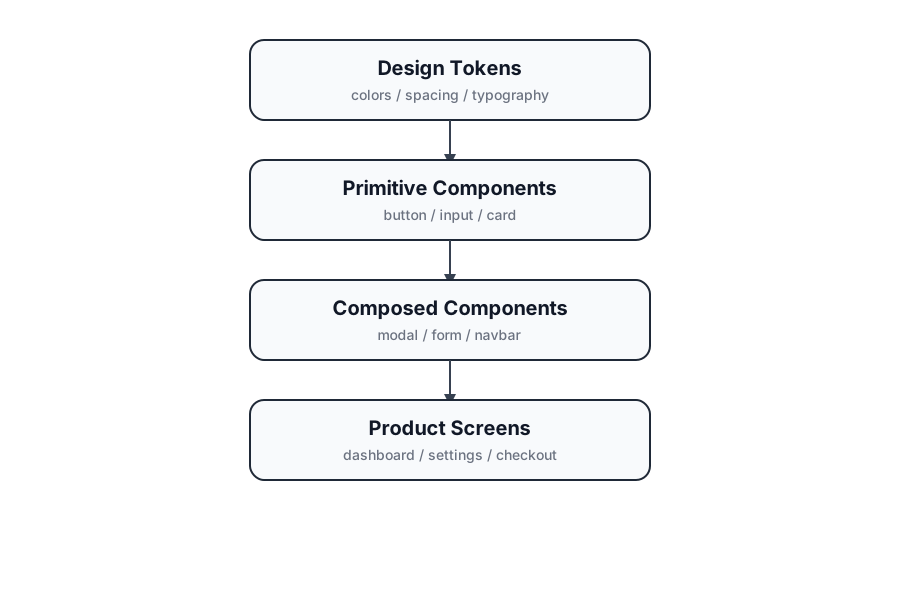 Design system architecture with tokens, components, and screens
Structure of a Design System
A common way to structure a design system in React applications is to organize components inside a dedicated folder within the project.
src/
  components/
    ui/
      button.tsx
      card.tsx
      dialog.tsx
      input.tsx
  lib/
    utils.ts
The components/ui folder contains the core design system components, while shared utilities can be placed in lib.
Reusable component example
A button is one of the most used components in any application. Using Shadcn UI, we can create consistent style variations.
import { Button } from '@/components/ui/button'

export default function Example() {
  return (
    <div className="flex gap-4">
      <Button>Save</Button>
      <Button variant="outline">Cancel</Button>
      <Button variant="secondary">Edit</Button>
    </div>
  )
}
Design tokens with Tailwind
Tailwind makes it easy to create design tokens using color variables and utility classes. This allows style standardization across the whole application.
:root {
  --primary: 222 89% 55%;
  --background: 0 0% 100%;
  --foreground: 222 47% 11%;
}
These tokens are used by design system components to ensure visual consistency across screens.
Benefits in SaaS applications
In SaaS applications - such as admin dashboards or management platforms - a design system brings important benefits:
- 🚀 Development speed: new features can reuse existing components.
- 🎯 Visual consistency: interfaces follow the same standards.
- 🔧 Simplified maintenance: changes in one component propagate across the application.
- 👥 Team collaboration: designers and developers share the same system.
Conclusion
Design systems are essential for modern applications. Using Shadcn UI, Tailwind CSS, and React, it is possible to build a consistent and scalable component foundation. This approach improves productivity, interface quality, and makes digital products easier to evolve over time.